A Practical AI Product Photo Shot List for Small Online Shops
Plan a useful set of product images for a small online shop, from accurate catalog photos to lifestyle concepts, detail crops, and social variants.
A shop does not need twenty attractive pictures of the same product. It needs a small set in which every image answers a different buying question.
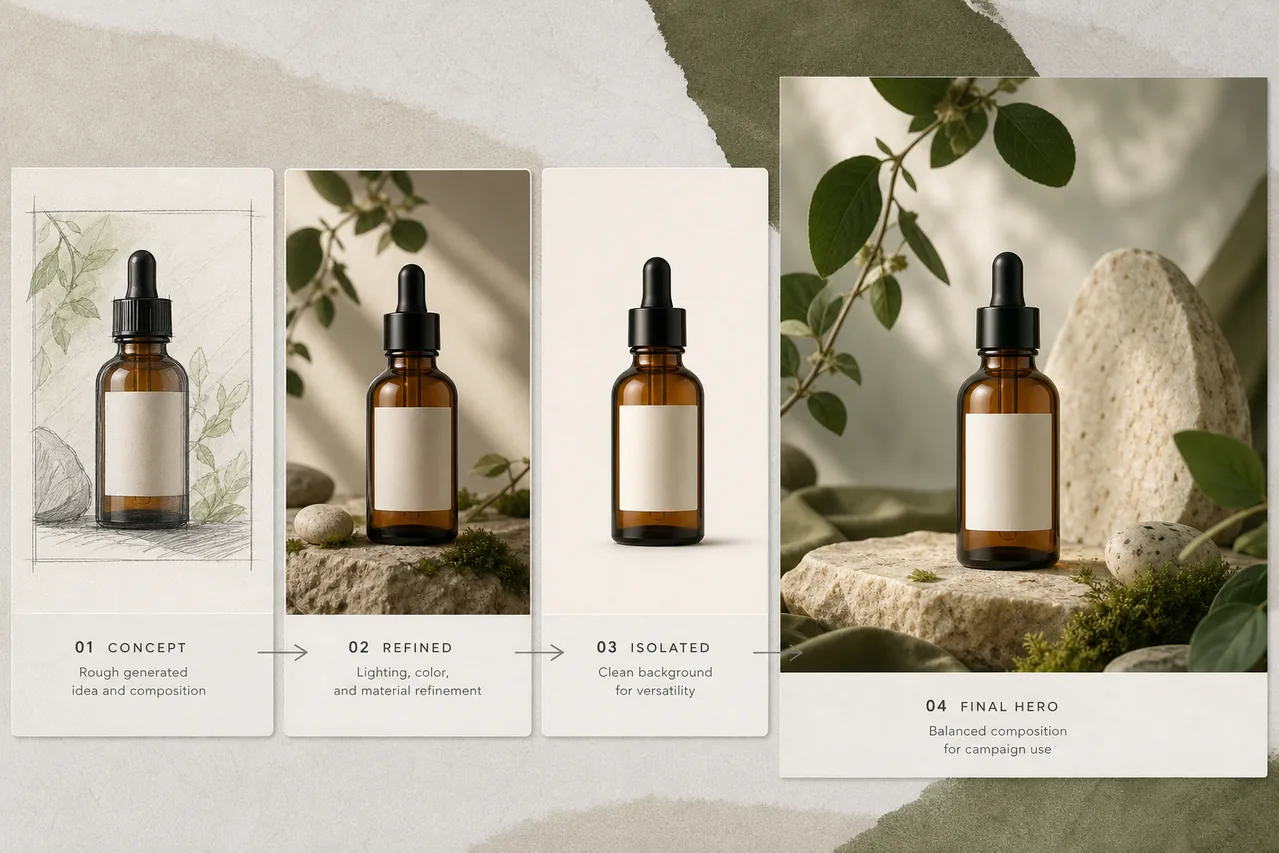
AI tools can help prepare backgrounds, concepts, crops, and campaign variations, but they should not be used to invent the product itself. If the real item has a specific color, texture, clasp, ingredient label, or size, begin with an accurate photograph and protect those facts through every edit.
The following shot list is designed for a one-person shop using a phone, a window, a sheet of card, and lightweight editing tools.
1. The clean catalog image
Purpose: show exactly what the buyer receives.
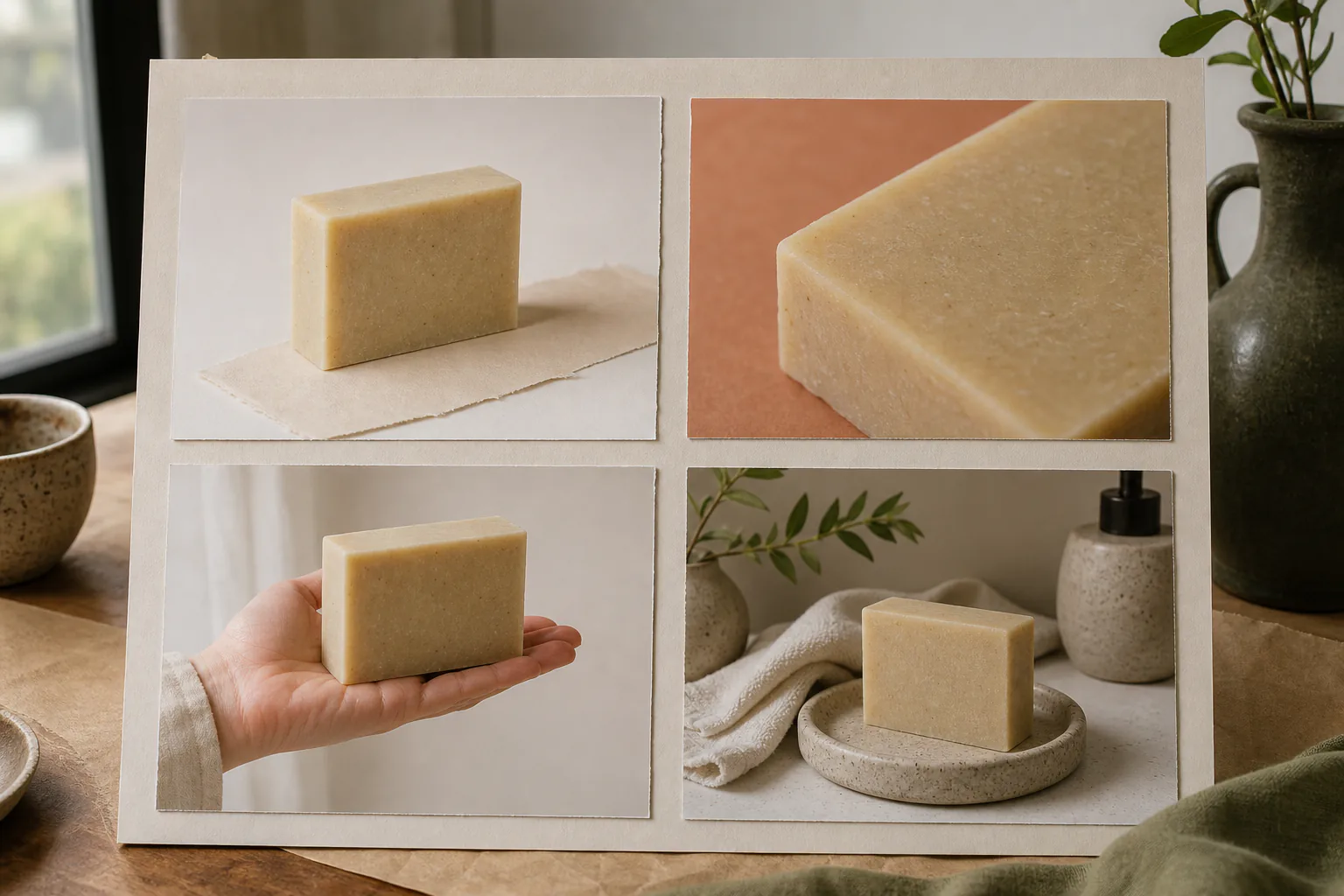
Photograph the item straight-on or at a slight three-quarter angle against a plain background. Keep the full silhouette visible and avoid dramatic shadows that conceal edges. For reflective objects, move the light source rather than trying to repair every reflection later.
If the background is uneven, use the background remover and place the cut-out on a consistent neutral color. Check the result around hair-like fibers, glass, thin handles, lace, and soft shadows. A perfectly hard cut-out can make a handmade product look pasted onto the page.
2. The scale image
Purpose: prevent size surprises.
Show the product beside a familiar object or in a hand, on a desk, or in the room where it belongs. A dimensions graphic is useful, but it does not replace visual scale.
Do not generate a hand holding the product if that process can alter its proportions. Photograph the real interaction. AI can tidy the environment afterward, but compare the product against the original before publishing.
3. The detail image
Purpose: prove material and workmanship.
Choose the detail a buyer cannot judge from the catalog view: stitching, glaze variation, paper texture, a closure, wood grain, or the back of a pendant. Use soft side light so texture casts a small natural shadow.
Crop deliberately. If the detail crop becomes too small for zoom, use the 2x image upscaler only after checking focus. Upscaling cannot recover a detail that the camera never captured.
4. The use-case image
Purpose: show where the product fits into life.
This is where AI-assisted concepting is most useful. You might test a candle on a quiet bedside table, a print in a compact home office, or a tote bag beside weekend market produce.
Write the scene around the customer question, not around a fashionable style:
Place this ceramic mug on a small breakfast table near a folded newspaper and a bowl of oranges. Soft natural window light, lived-in apartment, neutral warm colors. Keep the mug's shape, glaze pattern, handle, and proportions unchanged. No text or logos.
Use the AI photo editor for a real product photo. If the tool changes the item, reject the result. A beautiful scene with an inaccurate product is poor merchandising.
5. The group or range image
Purpose: explain variants and encourage comparison.
Photograph colors or sizes together under the same light. Keep their order intentional and leave enough gap for each silhouette to remain readable on mobile.
Avoid generating variant colors from a single item when color accuracy affects the purchase. Photograph the real finishes. Even a small hue shift can create returns, especially for fabric, paint, cosmetics, and home decor.
6. The packaging image
Purpose: set expectations for gifting and delivery.
Show the box, protective material, insert, and product together. Remove addresses, barcodes, personal details, and temporary shipping labels. If packaging changes seasonally, date the image or keep it out of evergreen listings.
Generated text is especially risky here. Add care instructions and claims as real page text, not as lettering inside a synthetic package image.
7. The campaign crop
Purpose: turn the accurate listing set into social and editorial material.
Create one square, one 4:5 portrait, and one wide banner from the strongest lifestyle image. Do not force a single crop to serve all three. Move the product within a layout canvas or generate purpose-built background space around an isolated product.
Leave room for copy, but add the words in a design tool. Keep the unlettered master so it can be reused when the price, promotion, or platform changes.
A simple production order
Shoot catalog, scale, detail, range, and packaging images in one session while the lighting and product condition match. Make the use-case concept afterward. Finish with delivery crops and compression.
Name files by purpose rather than camera sequence: linen-pouch-front, linen-pouch-scale, linen-pouch-stitching, and linen-pouch-lifestyle-desk. Save the untouched originals separately from cut-outs and edited exports.
Before publishing, compare every image with the physical product. Check color, quantity, accessories, closures, labels, reflections, and shadows. AI is useful for reducing setup work; it is not permission to make the listing more impressive than the item the customer will open.