How to Change Clothes in a Photo with AI
Learn how to preview business, casual, dress, and sporty outfit styles in your own photo with clear prompts for an AI photo editor.
Buying clothes often starts with a simple question: Will this style actually suit me?
An outfit may look perfect on a model or another person, then feel completely different when you try something similar yourself. That does not necessarily mean the clothes are unattractive. Body proportions, coloring, hairstyle, personality, and the occasion all affect how a style comes together.
You might wonder whether you look better in business casual or relaxed streetwear, whether a long dress fits your usual style, or which colors work well with your complexion. Traditionally, answering those questions meant visiting several shops and trying on one garment after another. Online shopping offers more choice, but a product photo still cannot show how the overall style might look on you.
An AI photo editor provides another way to explore. Upload a clear portrait, describe a new outfit, and let the model create a visual preview before you shop. In this guide, we will use the ImageFree.net AI Photo Editor to test four very different looks on the same photo.
AI outfit editing is a source of visual inspiration, not an accurate fitting room. It cannot confirm a garment's size, fit, fabric, construction, or exact appearance in real life.
Why finding your personal style takes experimentation
Choosing an outfit involves more than choosing an individual product. The finished look depends on several factors working together:
- body proportions and silhouette;
- skin tone and color combinations;
- hairstyle and accessories;
- personal character and preferences;
- the setting or occasion;
- the cut, structure, and material of each garment.
A relaxed blazer can look polished on one person and overly loose on another. A romantic dress may feel effortless on a model but less natural than a clean, minimal outfit on you. Personal style develops through comparison: you try different ideas, notice what feels right, and gradually narrow the options.
That experimentation has a cost. Testing a dozen styles in real life may require visiting multiple stores, finding the right sizes, and spending hours in fitting rooms. Some styles may not be available locally at all. AI cannot replace that real-world test, but it can make the early exploration much faster.
AI outfit editing: preview the direction before you shop
With a generative editor, you can explore broad outfit categories such as:
- polished business casual;
- relaxed everyday basics;
- elegant dresses;
- modern sportswear;
- streetwear;
- restrained minimalist fashion.
You do not need to cut the person out manually or build a new outfit from layers. Instead, describe the clothes in natural language:
Change the outfit to an elegant business-casual style.
The editor interprets the person, pose, and scene, then generates clothing that it thinks matches the instruction. The result can help answer an early creative question—“Do I want to explore this kind of look?”—before you spend time searching for real garments.
Remember that the generated clothes are not a specific retail product. Details such as the fabric, seams, drape, and fit are invented by the model, even if your prompt mentions a recognizable category of clothing.
Our AI outfit-change test
For this demonstration, we started with a simple portrait. Images like this usually give the editor a useful foundation because the person is clear, the body outline is visible, the original clothes are relatively simple, and the background does not compete for attention.
Original photo
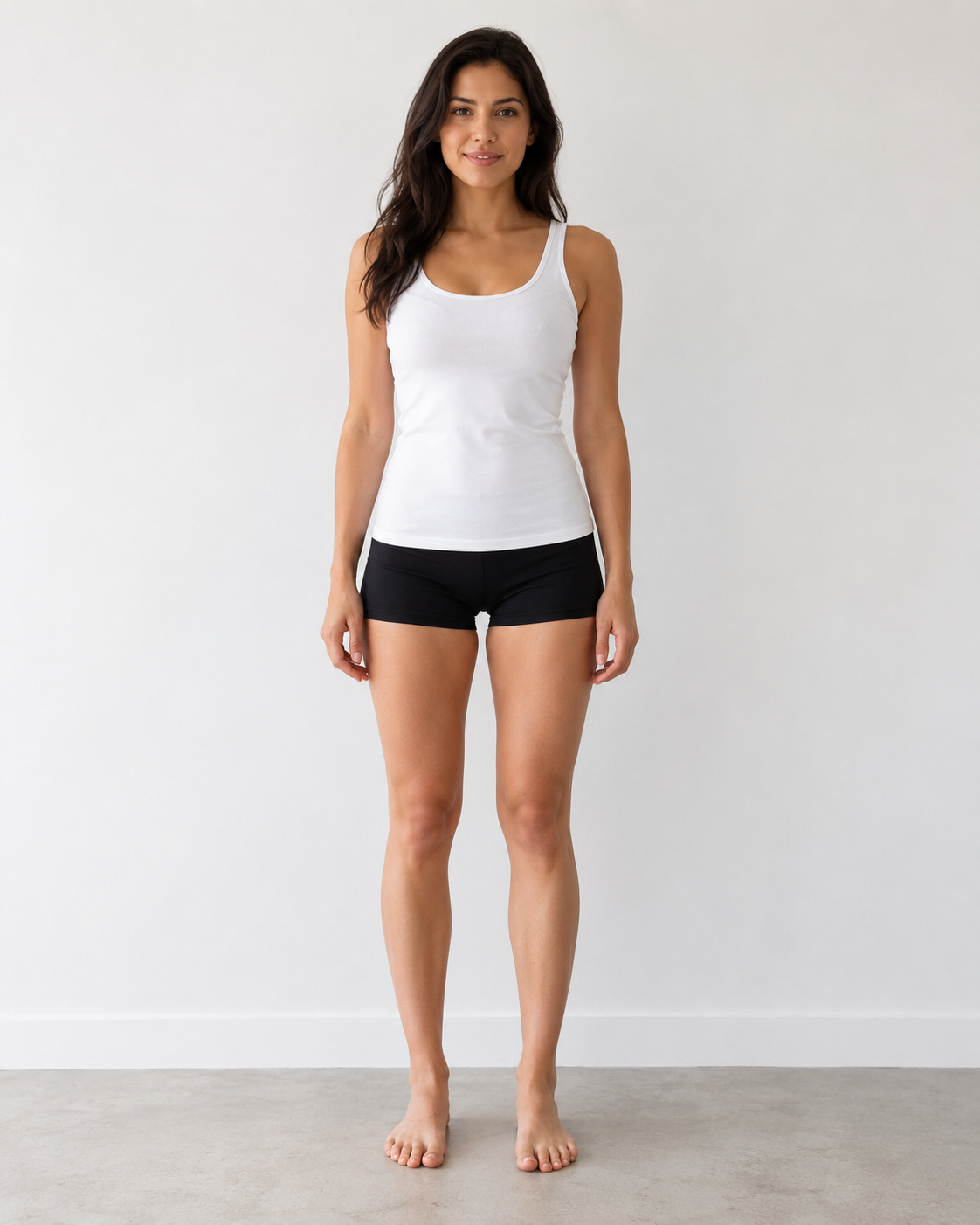
The person is wearing a simple base outfit. We will keep the same source image and use four prompts to explore completely different clothing styles.
Example 1: elegant business casual
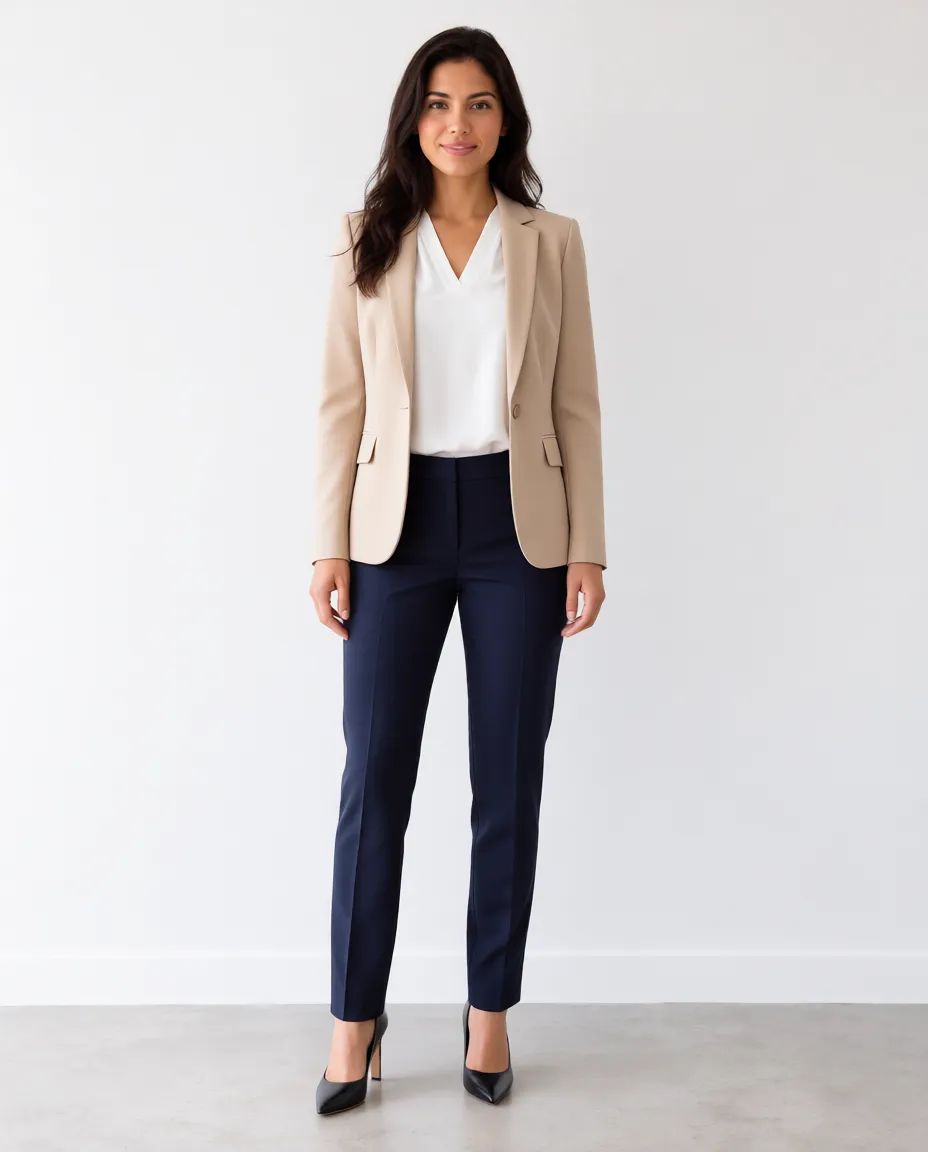
Our first prompt creates a polished look for an office, meeting, or smart daytime event. Business-casual outfits often combine a structured blazer, a simple blouse, tailored trousers, and understated shoes.
Prompt:
Change the outfit to an elegant business-casual style. Add a beige blazer, a white blouse, tailored trousers, and stylish heels. Keep the person's face, hairstyle, body shape, pose, and background unchanged.
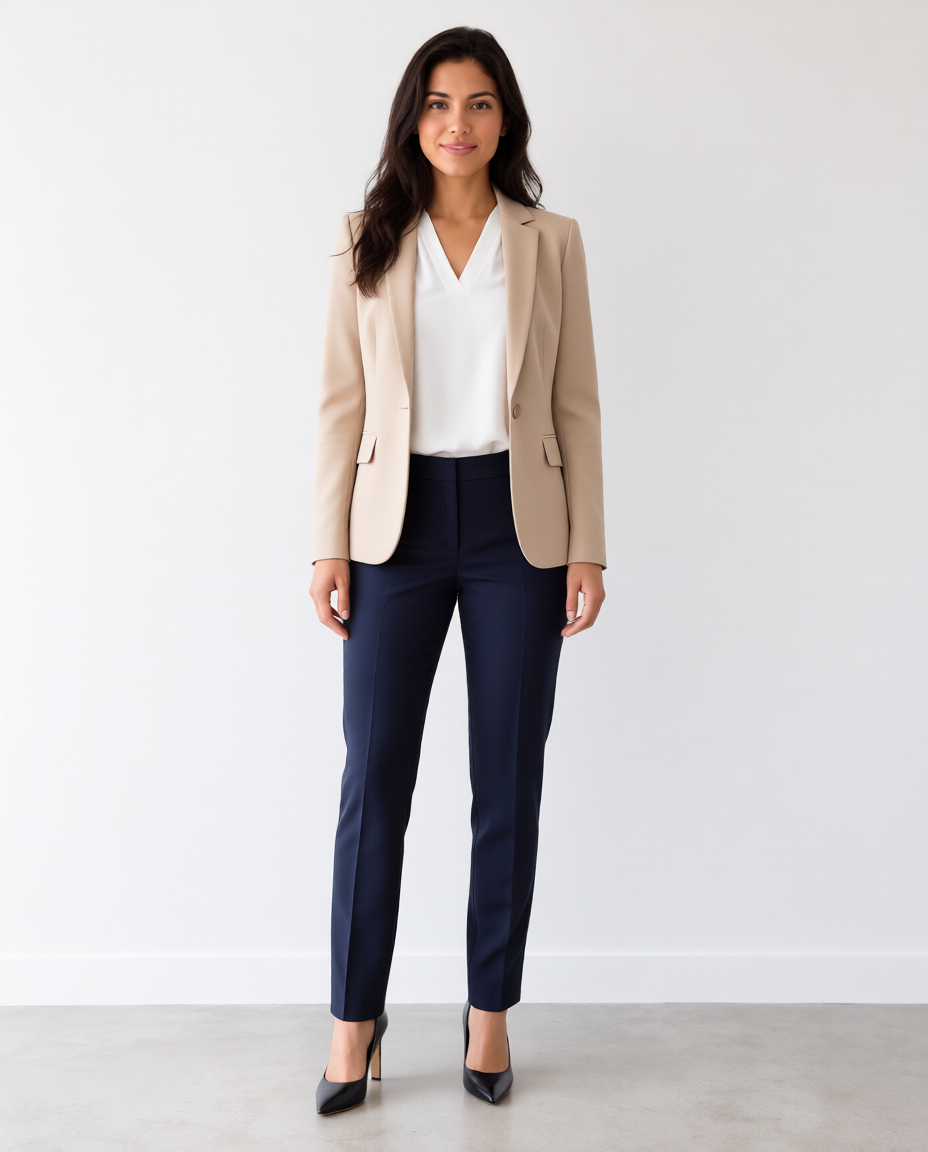
Changing only the clothing direction gives the portrait a more polished, professional character. The beige and white palette keeps the look soft, while the tailored pieces make it feel more structured.
Example 2: relaxed everyday style
Next, we asked for an outfit suited to a weekend walk, a coffee shop, casual shopping, or meeting friends. The prompt uses familiar basics so the result is easy to evaluate.
Prompt:
Change the outfit to a casual everyday style. Add a simple white T-shirt, blue jeans, and clean sneakers. Make the overall look relaxed, natural, and stylish. Keep the person's face, hairstyle, body shape, pose, and background unchanged.
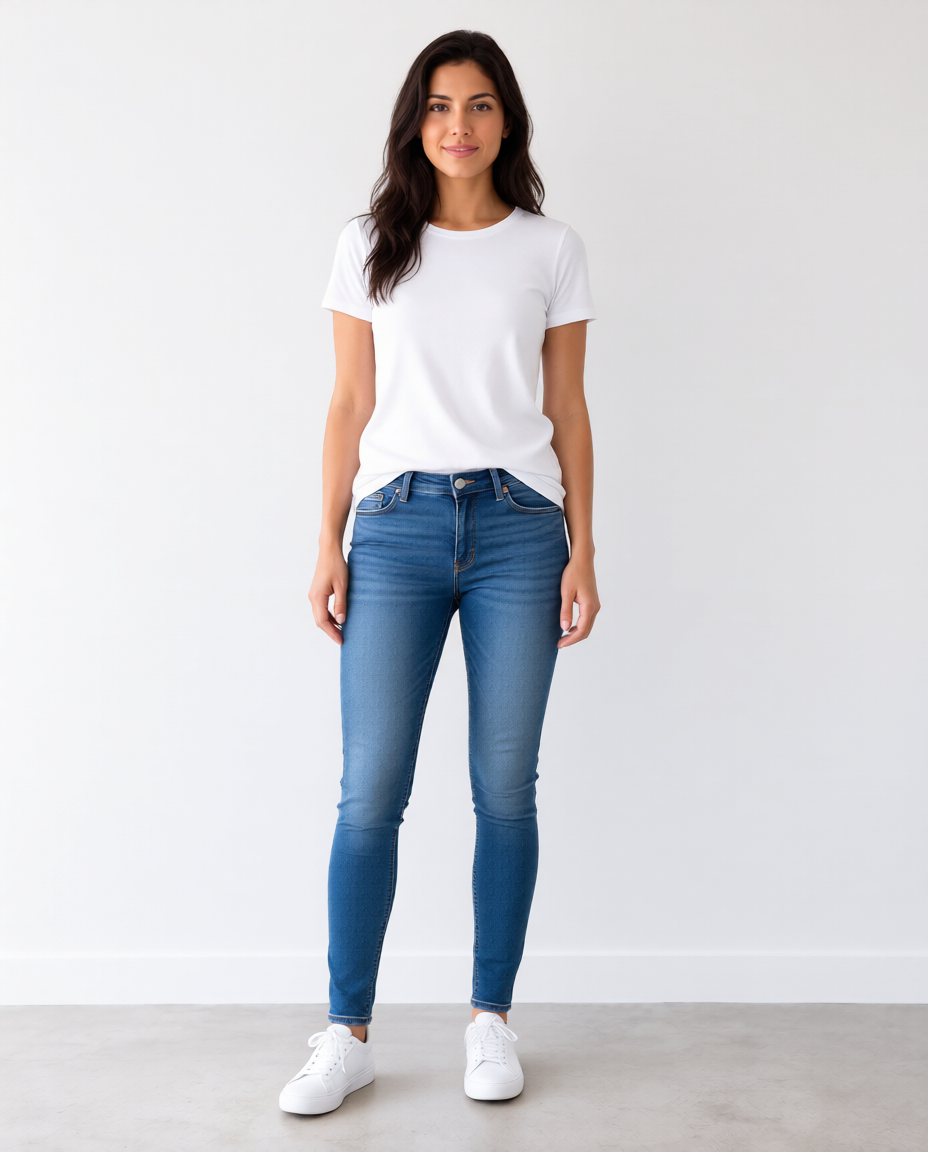
Compared with the business-casual version, this combination feels younger and more relaxed. It is also a useful reminder that even a simple change in silhouette and footwear can alter the mood of the whole image.
Example 3: a modern, elegant dress
If you like dresses but are unsure which direction to explore, an AI preview can help you compare a feminine silhouette with your usual look.
Prompt:
Change the outfit to an elegant, feminine dress style. Add a beautiful full-length dress with a clean modern design. Choose a color that complements the person's complexion. Keep the person's face, hairstyle, body shape, pose, and background unchanged.
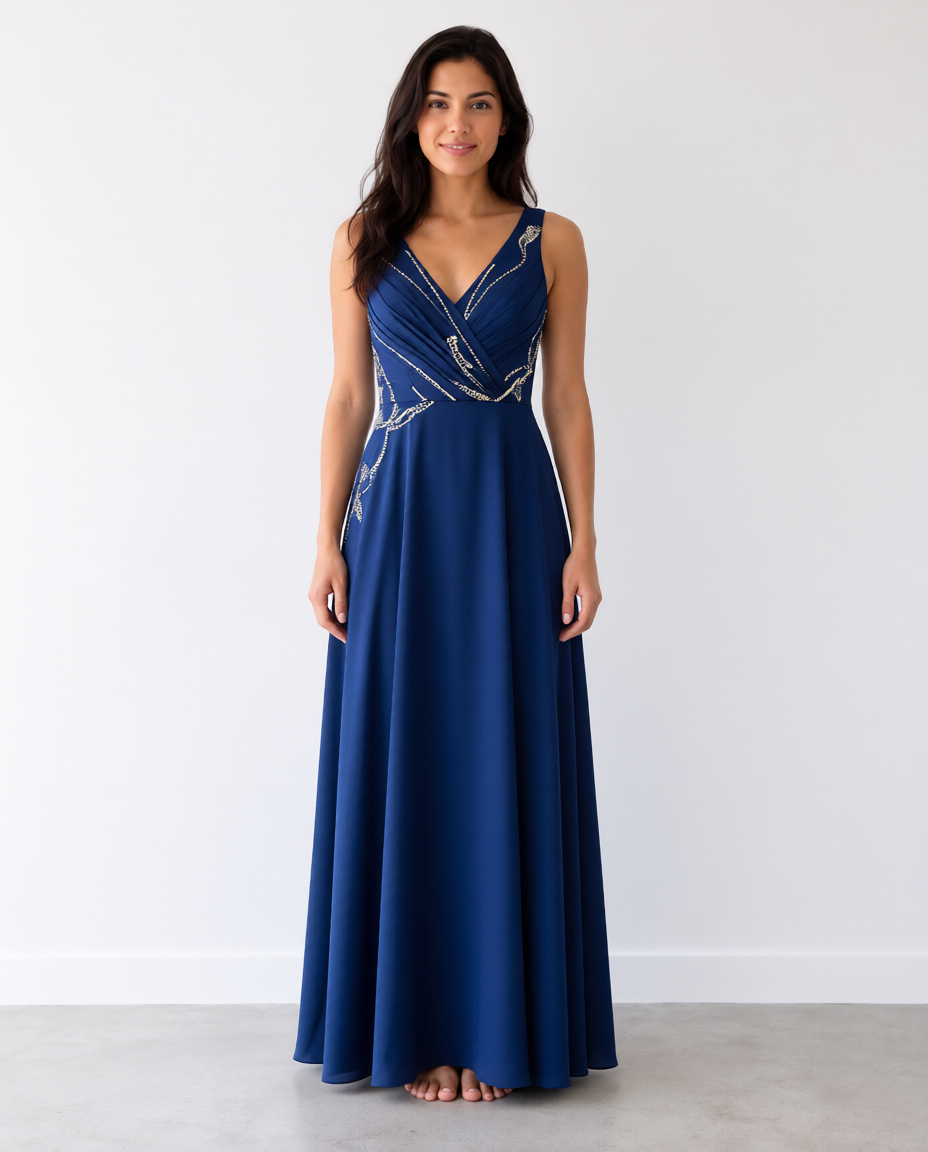
Treat the output as a mood and silhouette reference. A real dress will hang differently depending on its measurements, pattern, lining, and fabric weight, so the generated preview should guide your search rather than predict the exact fit.
Example 4: modern sportswear
Our final example explores a more active, energetic style.
Prompt:
Change the outfit to a modern sporty style. Add coordinated athletic clothing and clean sneakers with a simple active-lifestyle look. Keep the person's face, hairstyle, body shape, pose, and background unchanged.
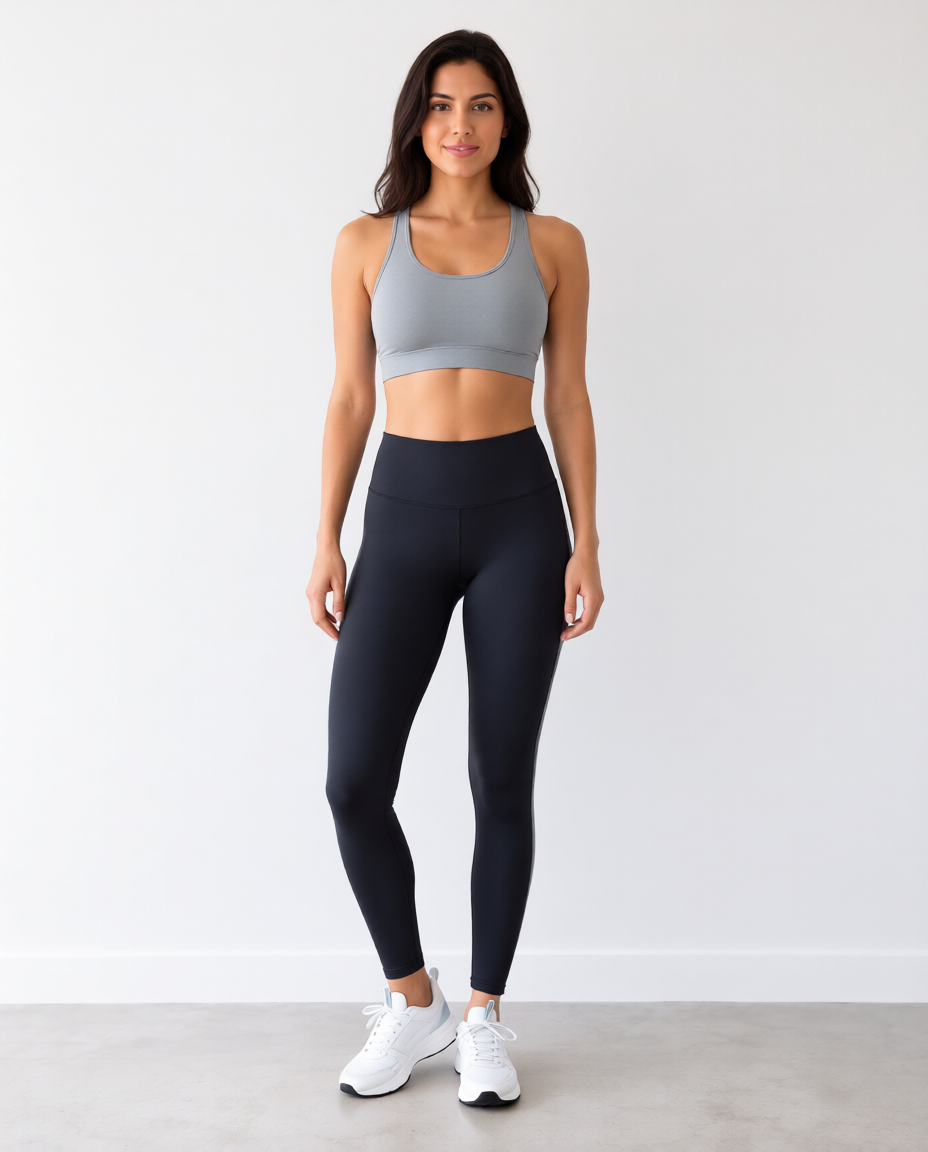
The same portrait now communicates a very different mood. Comparing all four versions side by side makes it easier to identify the styles, colors, and silhouettes you would like to explore in real life.
How to get better AI outfit results
AI handles the visual editing, but the source photo and prompt still have a major effect on the result.
Describe the outfit precisely
A vague prompt such as:
Change clothes.
does not tell the editor enough about your goal. Specify the style, garments, colors, and intended setting. For example:
Change the outfit to a minimalist luxury style with a black blazer, a crisp white shirt, and elegant tailored trousers.
You can also mention the desired silhouette, season, fabric impression, or level of formality. Avoid stuffing too many conflicting ideas into one prompt; one clear outfit direction is easier to assess.
State what should remain consistent
When you only want to change the clothes, add a preservation instruction:
Keep the person's face, hairstyle, body shape, pose, hands, and background unchanged.
This gives the model a clearer boundary. It is not a guarantee: generative editing may still redraw details outside the clothing. Compare the face, hair, hands, proportions, and background with the original after every edit.
Use a clear portrait
The most useful source photos usually have:
- a clearly visible person;
- enough of the body in frame to show the intended outfit;
- a natural, well-lit pose;
- a simple or uncluttered background;
- little overlap between the body and other objects.
Heavy coats, large scarves, crossed arms, bags, furniture, and complicated poses can hide the body's outline and make clothing replacement less predictable. A front-facing or gently angled portrait with visible arms and legs is a good starting point for a full outfit.
Change one look at a time
Generate separate versions for business, casual, formal, and sporty ideas. If you ask for several alternatives in one image, it becomes harder to compare them and the model may blend incompatible details. Save the original and every useful result so you can review them side by side.
Inspect details before sharing
Zoom in on hands, garment edges, buttons, pockets, patterns, shoes, jewelry, and areas where the clothes meet hair or skin. Look for impossible folds, mismatched sleeves, changed body proportions, duplicated accessories, and distorted background details.
If the edit changes the person's identity or pose, return to the original image and try a more focused prompt instead of editing the flawed result repeatedly.
Practical uses for AI outfit previews
Explore before shopping
Use generated outfits to decide which broad categories are worth trying in a store. You might discover that you prefer cropped jackets to long blazers, muted colors to saturated ones, or clean sneakers to formal shoes. Then search for real products that share those characteristics.
AI still cannot tell you whether a particular item will fit. Product measurements, fabric information, customer reviews, and an actual try-on remain essential.
Develop a personal style direction
If your wardrobe feels inconsistent, create several variations from the same portrait and look for patterns in the versions you prefer. The useful insight may be a color palette, a level of formality, a silhouette, or a combination of simple pieces rather than one exact generated outfit.
Build visual references for content and design
Bloggers, stylists, designers, and content creators can use outfit edits as early concept references for a mood board, character direction, photo shoot, or editorial plan. Generated images should be labeled and reviewed appropriately; do not present an invented garment as a real product available for purchase.
AI outfit editing is a starting point, not the fitting room
Trying different clothing styles used to require repeated shopping and fitting-room sessions. An AI editor can compress the first exploratory stage into a few minutes:
- Upload a clear portrait you have permission to use.
- Describe one outfit style in specific terms.
- Ask the editor to preserve the person's identity, pose, and background.
- Generate and inspect the result.
- Use the ideas you like to guide a real-world search and try-on.
The goal is not to replace real clothing or promise a perfect fit. It is to make style exploration quicker, more visual, and easier to compare.
Open the ImageFree.net AI Photo Editor, upload a suitable photo, and start with a simple prompt such as:
Change the outfit to a polished everyday style with a structured jacket, a simple top, tailored trousers, and clean shoes. Keep the person's face, hairstyle, body shape, pose, and background unchanged.
Generate a few distinct directions, compare them with the original, and take the most useful ideas with you when you shop for the real thing.