Qwen-Image 3.0 Review: Five Prompts, Four Clean Wins, and One Tiny Typo
We tested Qwen-Image 3.0 with an English poster, a dense infographic, a multilingual menu, a realistic portrait, and a strict object-layout prompt.
Most image generators can make a beautiful picture. The illusion usually breaks when you ask for something useful: four exact lines on a poster, five ordered steps in an infographic, or the same opening hours in several languages.
That is why Qwen-Image 3.0 caught our attention. Qwen is not presenting it as another model for prettier portraits. The official launch post focuses on practical image-making: prompts up to 4,500 tokens on its native platform, text that remains readable at very small sizes, complex layouts, realistic detail, and native rendering in 12 languages.
Those are big claims. Instead of trying to cover every feature, we gave the model five jobs that are easy to judge with your own eyes:
- make a market poster with four exact lines;
- turn a coffee recipe into a five-step infographic;
- typeset the same cafe message in four languages;
- create a detailed, realistic watchmaker scene;
- arrange ordinary desk objects in exact positions and quantities.
Four results came back cleaner than we expected. The fifth looked perfect until we read one Spanish word carefully. That tiny mistake ended up telling us more about the model than any launch demo.
Test one: a poster with nowhere to hide
Text tests are often made too easy. A model renders one large word on a nearly empty background, the spelling happens to work, and the result is presented as proof that AI typography is solved.
We used four lines instead. The model had to preserve the wording, punctuation, order, and visual hierarchy while also producing a convincing screen-printed market poster.
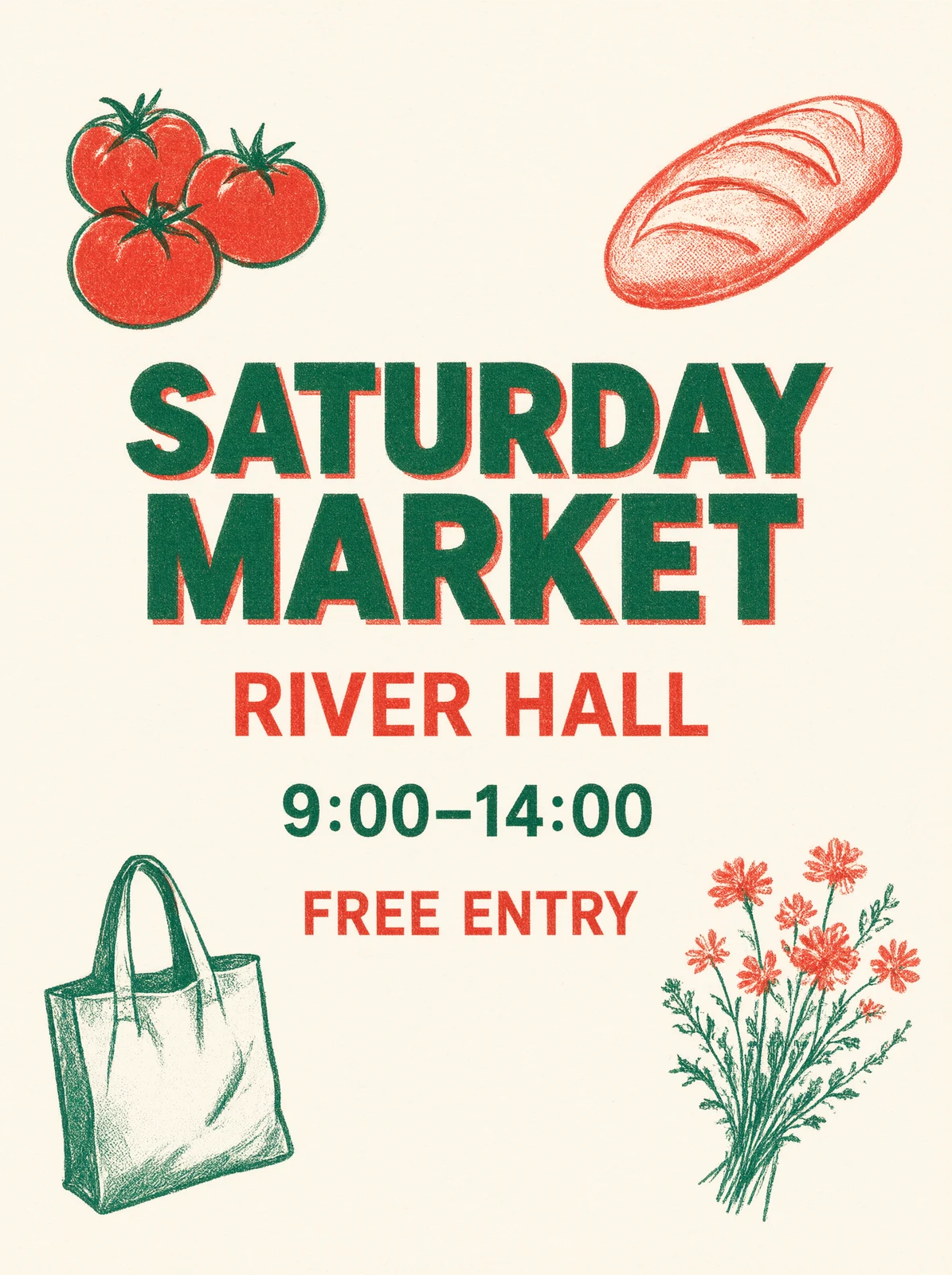
This one is a clean win. SATURDAY MARKET, RIVER HALL, 9:00–14:00, and FREE ENTRY are all present and spelled correctly. The time keeps its punctuation, the lines appear in the requested order, and the headline is clearly dominant.
The visual brief also survived. The limited green-and-red palette, rough ink texture, tomatoes, bread, flowers, and canvas bag all belong to the same poster rather than feeling pasted together.
Would we send generated typography straight to a printer without checking it? No. But as a one-pass design draft, this is already useful. It gives a designer a viable composition instead of a vague mood board.
Test two: can it keep five panels straight?
The next prompt was harder because every panel had to contain the right heading, instruction, number, and illustration. A good-looking mistake would still be a mistake: a kettle under the grinding step or a changed water temperature would make the graphic unreliable.
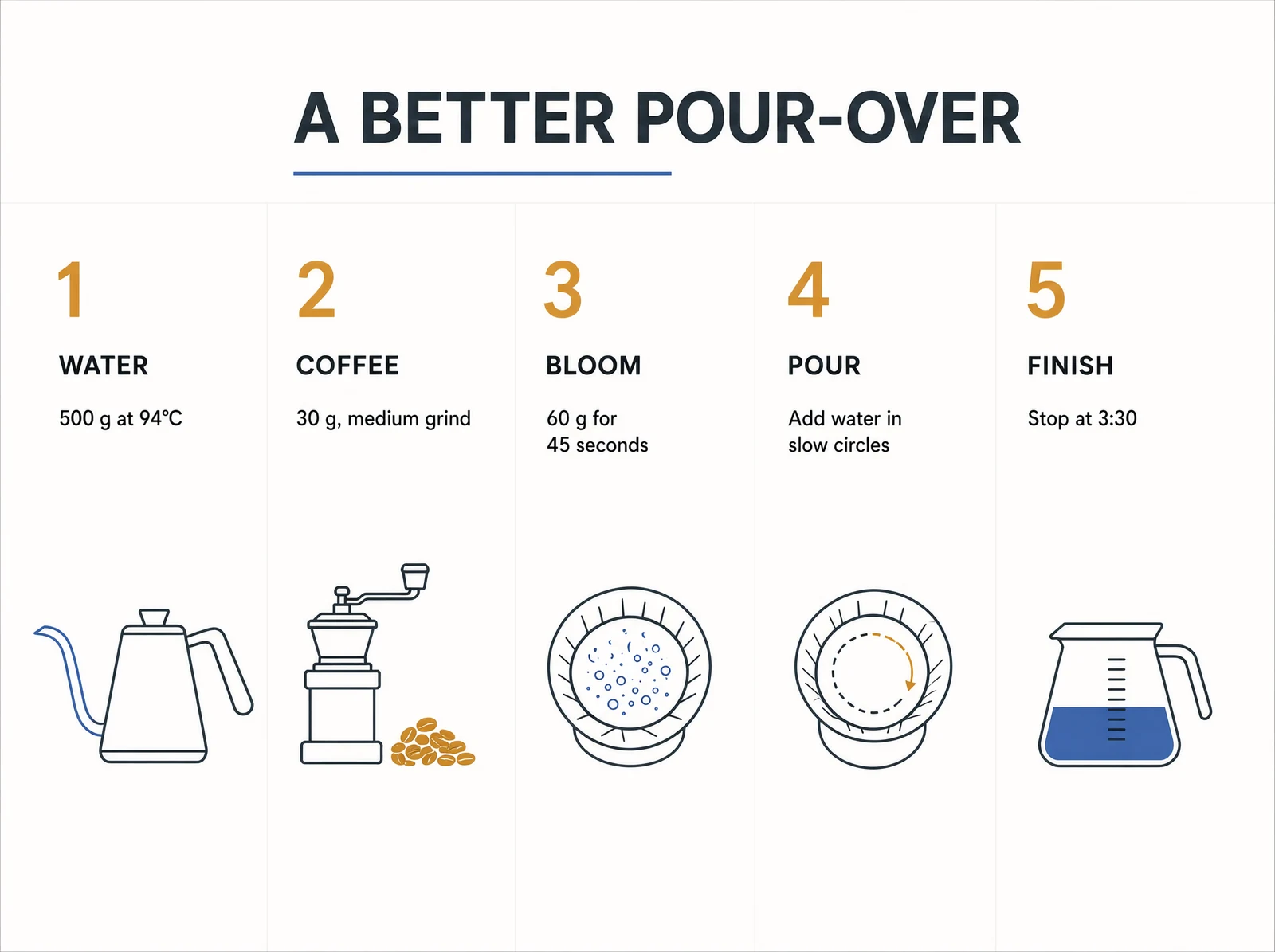
The model got all five panels right.
The headings run from WATER to FINISH in the correct order. Every measurement and sentence matches the prompt. The kettle, grinder, bloom, circular pour, and carafe sit under the appropriate steps. It did not add a sixth tip or invent a different ratio to fill the page.
What impressed us here was not the amount of detail. It was the restraint. The model understood that the five panels were the structure and let the whitespace do its job.
This does not mean an AI-generated infographic should become a factual source. The recipe still needs to be correct before it enters the prompt. But if the information is already verified, Qwen-Image 3.0 looks capable of turning it into a strong visual draft with very little cleanup.
Test three: the menu that fooled us at first glance
The multilingual menu looked like the easiest pass of the group. The spacing was balanced, the type choices felt consistent, and all four language sections appeared to mirror one another.
Then we read the smallest Spanish line.
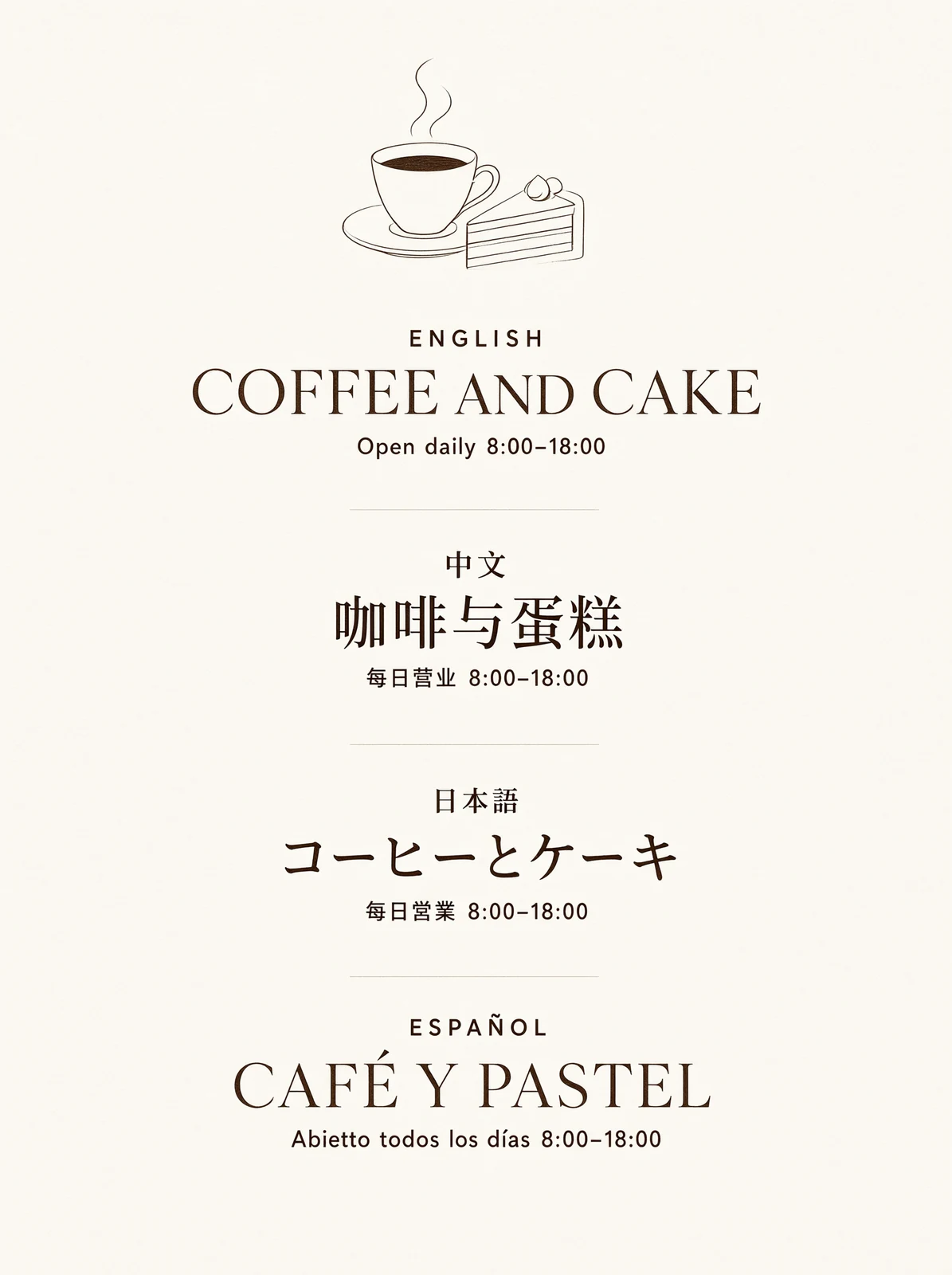
The English is correct. The Chinese is correct. The Japanese is correct. The Spanish heading, CAFÉ Y PASTEL, is also correct.
But Abierto became Abietto.
It is a small error in a polished image, which makes it more dangerous than obvious gibberish. A viewer who does not speak Spanish could approve the menu without noticing anything wrong.
This is the most useful result in the review because it sets a realistic boundary. Qwen-Image 3.0 is much better at multilingual design than image models that collapse into random glyphs. It is still not a proofreader. If the words carry a price, date, address, product claim, or legal meaning, someone must read the exported image character by character.
Test four: what happens when text is not the challenge?
Qwen also claims better micro-detail: skin, hair, fabric, glass, and other surfaces that often become waxy or over-sharpened in generated photography.
To test that, we asked for an elderly watchmaker working with tweezers over an exposed mechanical movement. The scene combines two common failure points—older hands and tiny machinery—with several materials under one light source.
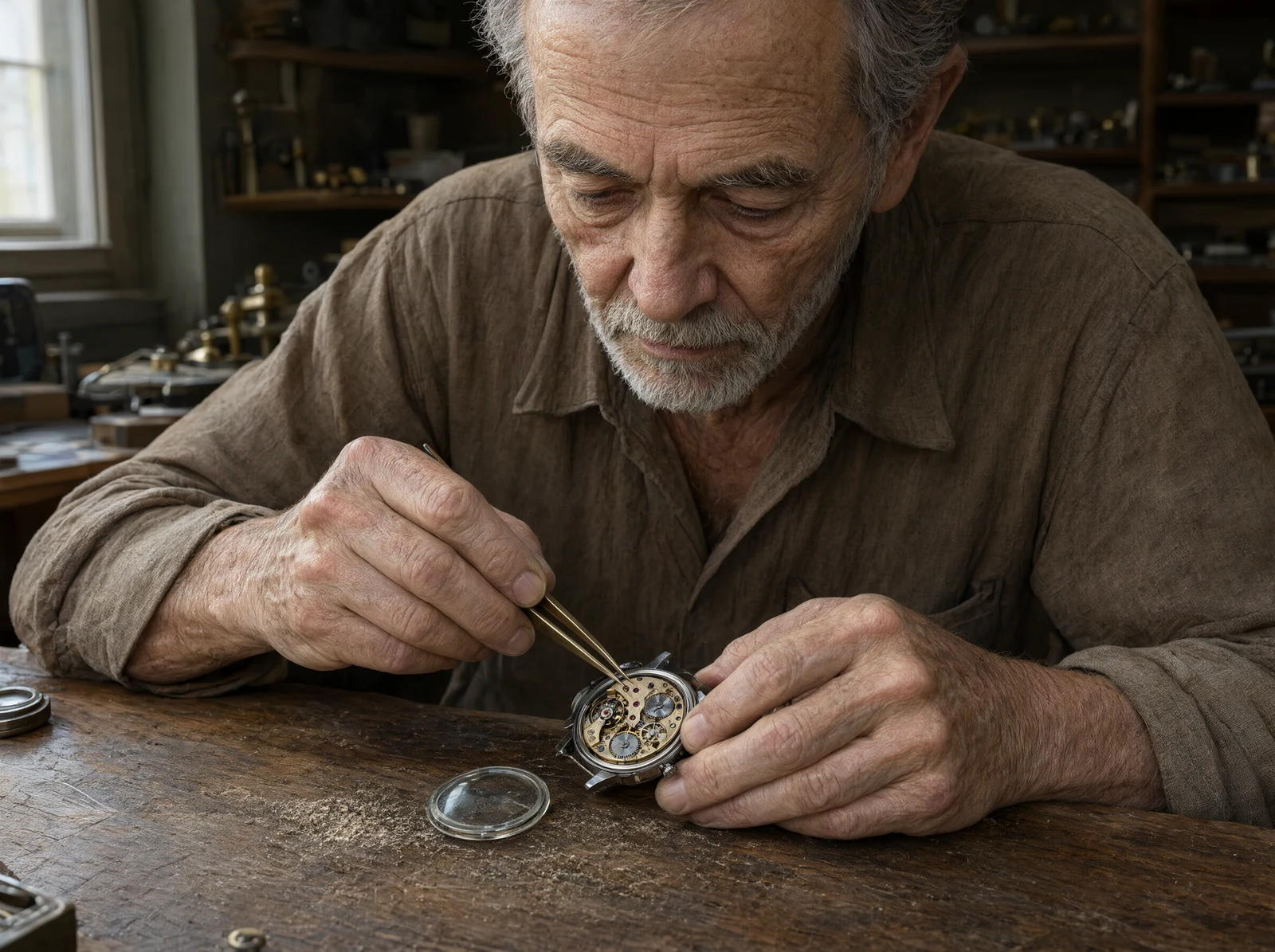
The result holds together surprisingly well at full size. The skin looks aged rather than artificially roughened. Hair, shirt fabric, worn wood, steel, brass, and glass remain visually distinct. Both hands are believable, and the tweezers actually meet the watch movement instead of hovering beside it.
The model did frame the scene a little wider than the requested close-up. We do not mind that trade-off here because the wider view makes the workshop feel inhabited and still leaves enough detail in the hands and watch.
This was the image that felt least like a technology demonstration. It simply looked like a convincing editorial photograph.
Test five: a deliberately boring desk
Our last prompt had no elaborate style and no embedded words. It was a test of whether the model could listen.
We asked for a mug in the center, a red notebook on its left, three pencils above it pointing right, glasses below it, a cactus in the upper-right corner, and exactly two paper clips in the lower-left corner.

Everything landed where it should.
There are three pencils, not two-and-a-half or four. They are parallel and point right. The notebook, glasses, cactus, and two paper clips occupy the requested positions, and no extra stationery was added to make the scene more decorative.
It is not the most exciting image in the article, but it may be the most encouraging for everyday work. Following a plain brief without “improving” it is exactly what a production tool needs to do.
Where Qwen-Image 3.0 already feels useful
After these five prompts, we would use it for:
- poster and social graphic concepts where text placement matters;
- educational diagrams built from information that has already been checked;
- multilingual layout drafts, followed by native-speaker review;
- editorial illustrations and realistic blog images;
- storyboards, interface concepts, and other structured visual drafts.
We would not treat its output as final evidence, final typography, or verified technical information. The Spanish menu shows why. One wrong word can survive inside an otherwise excellent design.
The practical workflow is simple: use the model to get from an idea to a well-composed draft, then inspect words, numbers, object counts, hands, logos, and factual relationships before publishing. Our AI image quality checklist covers that review in more detail.
A few release details still matter
The experience depends on where you use the model. Qwen's 4,500-token claim refers to its own surface. The current fal text-to-image endpoint, for example, limits prompts to 800 characters and enables automatic prompt expansion by default. That can change how an “identical” test behaves.
As of July 24, Qwen has not published a downloadable Qwen-Image 3.0 checkpoint, a 3.0 technical report, or a dedicated benchmark table with the launch. The older Qwen-Image model is open under Apache 2.0, but that information should not be assumed to apply to the new hosted model.
Other early tests point in the same general direction as ours. GIGAZINE found strong layout and realistic detail but also awkward Japanese text in one editing test. Decrypt found its long-form text output impressive without being flawless.
Our verdict
Qwen-Image 3.0 is not interesting because it made five attractive images. Plenty of models can do that. It is interesting because four of the images followed fairly ordinary production instructions with very little drama.
The English poster was exact. The coffee infographic kept its structure and facts. The watchmaker looked convincing. The desk obeyed every count and position. The multilingual menu missed one word—and that one miss is the reason we would keep a human review step in the workflow.
So the verdict is not “AI can typeset everything now.” It is more practical than that: Qwen-Image 3.0 can produce drafts that are much closer to finished work, but the last careful read still belongs to a person.
For a new model released only days ago, that is a strong start.